Guide · Updated October 20, 2026
The Best Way to Digitize Handwritten Recipe Cards (Scan, Transcribe, Preserve)
“Digitizing” a recipe card is really two jobs. One is saving the image: the handwriting, the stains and the notes in the margin, which can't be replaced. The other is getting the text: something you can search, resize and cook from. Most people only do one of the two. This guide covers both, with free options at every step.
Part 1: Capture the image
Phone scanning apps (free)
The scanners built into Google Drive, Apple Notes and apps like Adobe Scan straighten the card, crop the background and save a clean image or PDF. For most cards this is all you need. If an app's automatic “black and white” filter makes faint pencil disappear, switch it to color or original.
A plain phone photo (free)
- Lay the card flat on a plain, dark surface and shoot from directly above.
- Use soft window light and skip the flash, which creates glare and washes out pencil.
- Fill the frame and tap to focus on the writing.
- Photograph the back too; dates, names and notes are often there.
Flatbed scanner
A flatbed at 600 dpi captures the most detail and is the best choice for very faint, faded or tiny handwriting. Save a lossless copy (TIFF or PNG) as your archive master and a JPEG for everyday use. Don't press brittle cards flat with the lid, and avoid sheet-feed scanners for anything fragile.
Scanning services
Photo-scanning companies will scan cards for you. It saves time on very large collections, but it means mailing originals away, so weigh that against doing it yourself.
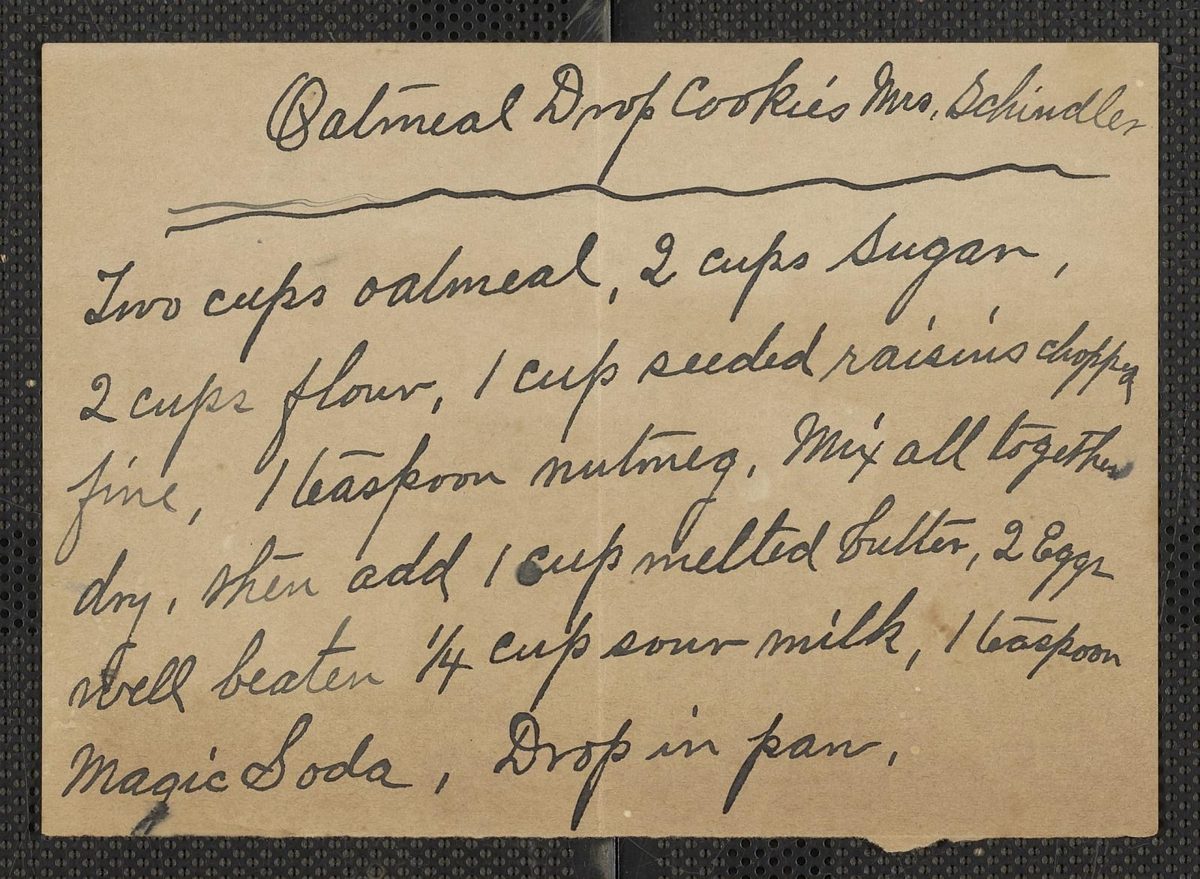
Part 2: Get the text
Type it yourself
Free and the most accurate, because you read every word. It's slow, but very doable for a few dozen cards, especially if relatives each take a stack.
Google Lens and other text-recognition apps
Free and quick on printed text and neat handwriting. Old cursive, crowded cards and faded pencil usually need a lot of correcting.
General AI chat tools
You can upload a photo to a general-purpose AI assistant and ask it to transcribe the recipe. This genuinely works for many cards. The weak spots are long cursive passages, fractions and old abbreviations (“1 c.”, “oleo”, brand names that no longer exist), and these tools tend to fill gaps with a confident guess instead of telling you they weren't sure.
Tools built for recipe cards
Dedicated tools transcribe into a recipe structure (title, ingredients, method) and can flag the words they weren't sure about so you know where to look. They still make mistakes; the advantage is mostly speed and knowing what to double-check.
Part 3: Check for errors
Whatever method you use, compare the text with the photo line by line. The errors that matter most:
- Quantities and fractions: 1½ vs ½, 1 vs 7, ⅓ vs ⅔.
- Units: T (tablespoon) vs t (teaspoon), c. (cup), lb vs oz.
- Temperatures and times: often missing on old cards, or given as “moderate oven.”
- Ingredient names: old or regional names that a tool may “correct” into something else.
- Ditto marks (″): they mean “same as above,” and are easy to drop.
When you truly can't read something, write [?] rather than guessing, and ask someone who knew the cook.
![A review screen showing a faint handwritten recipe beside its transcription, with uncertain words marked [?] for checking](/blog/review-flags.jpg)
Part 4: Store and share
- Keep one folder of original images and never edit those files. Name them consistently, for example
1950s_Ruth_ApplePie_front.jpg. - Keep the typed recipes in one document or PDF alongside the images.
- Back up to a cloud drive and at least one other place (a USB drive or a relative's computer).
- Share a link or the PDF with the family so the recipes aren't stuck on one person's phone.
Part 5: Turn it into a book
Once you have images and text, a family cookbook is a short step away: one recipe per page with a photo of the original card. Our step-by-step family cookbook guide covers layout and printing with free tools.
If you'd rather not do the layout yourself, CardToCookbook transcribes phone photos of your cards, marks anything uncertain with [?] next to the original photo for you to check, and builds a print-ready PDF with the card on every page. It works best on English handwriting, and faint pencil still needs checking. You can try 3 cards free (watermarked); a full book is a one-time $19 for up to 30 cards or $39 for up to 100, with no subscription.
Try 3 cards freeSee a sample book (PDF)
Old recipe terms, decoded
Before standard measuring cups and oven thermostats, recipes relied on shorthand. These are commonly cited modern equivalents; historical sources don't always agree, so treat them as starting points and keep the original wording in your transcription.
- Slow oven
- Roughly 300–325°F (150–165°C). Sources vary; some put it as low as 250–275°F.
- Moderate oven
- Roughly 350–375°F (175–190°C). Start at 350°F and check early.
- Hot or quick oven
- Roughly 400–450°F (205–230°C). Some sources treat “quick” as slightly cooler than “hot.”
- Very hot oven
- About 450–500°F (230–260°C).
- Gill (jill)
- A quarter pint. In American recipes that is ½ cup (4 fl oz, about 118 ml); in British recipes about 142 ml.
- Teacup
- Not standardized; usually taken as about ¾ cup (roughly 180 ml). A “small teacup” is often read as ½ cup.
- Wineglass
- About ¼ cup (2 fl oz, 60 ml).
- Butter the size of an egg
- Sources disagree: anywhere from about 2 tablespoons to ¼ cup (1–2 oz). Older eggs were smaller than today's large eggs.
- Butter the size of a walnut
- About 1 tablespoon (some sources say up to 2).
- Oleo
- Short for oleomargarine, i.e. margarine. Substitute margarine or butter one for one.
- Sweet milk / sour milk
- Sweet milk is ordinary fresh milk; sour milk is milk that has soured, often replaced today with buttermilk.
- Saltspoon
- About ¼ teaspoon.
FAQ
Will scanning damage old recipe cards?
A phone photo doesn't touch the card at all, which makes it the gentlest option. On a flatbed scanner, lay brittle cards on the glass without pressing the lid down hard, and don't run fragile cards through a sheet-feed scanner.
Do I need a scanner?
No. A recent phone in soft daylight is enough for most cards. A flatbed scanner at 600 dpi helps with very faint pencil or if you want archival-quality images.
Can AI read cursive handwriting?
Modern AI models read a lot of cursive, but not perfectly. Small, plausible errors (1½ read as ½, tablespoon vs teaspoon) are common on faint or crowded cards, so check every recipe against the photo.
What about recipes written in Italian, German, Polish or another language?
Capture the image the same way. For the text, transcribe in the original language first and add a translation underneath. AI tools tend to be most reliable on English handwriting, so expect to check non-English cards more closely.